
published October 15, 2025
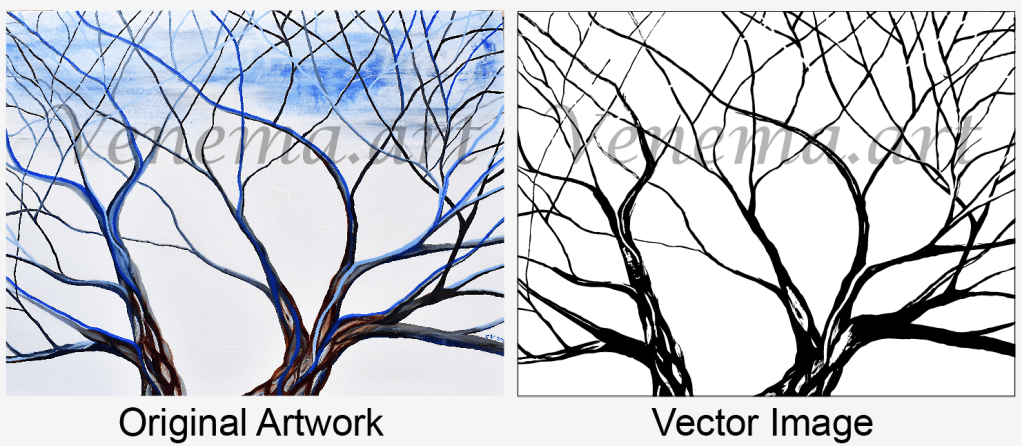
I have decided to make a vector illustration from my painted winter tree. I am going to use Photoshop and Illustrator. Make sure you use the type of artwork that is high contrast for this project. If the artwork is not high contrast it will be hard for illustrator to image trace the image. In Photoshop you can also up the contrast by turning the image to a black and white graphic.
My goal is to make my artwork a high contrast vector in Photoshop before I upload the artwork into illustrator. First I take a photo of my artwork and add it to Photoshop. My file size it 300ppi and 11 x 8.5 paper. I rasterize my work and saved it as a .psd file. An original Photoshop document. In Photoshop I use layers to brighten the artwork. In image / adjust brightness I pop the brightness up. You can turn your image to black and white. Go to image adjust and click on black and white image to punch up the contrast. Now my artwork is ready to be made into a vector using illustrator.
In Illustrator I make a file and place my photo. I always make two copies of my artwork on two separate layers in Illustrator. Just in case I mess my first vector up. I take my photo copy and go to Object / Live Trace / Make and Expand. Now I have a nice black and white image with vector points. I then take my time to add and delete vector points. I use the lasso tool and direct select tool to delete points and smooth out my final image. Once the outline looks good, I may add color. That is how I make a simple vector from my artwork. If you would like to purchase my Winter Tree, check out my Etsy Shop.
Enjoy creating,
Chris Venema
 Venema Original Art
Leave a Reply